Effect
Liquid glass refraction
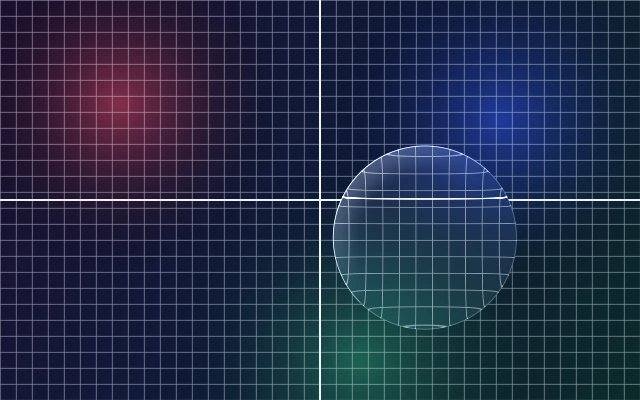
The scene behind is bent and magnified through the shape: strongest in the bezel band along the edge, calm in the centre. Straight lines curve as they enter the bezel; on circles the whole face magnifies like a lens.
Also called lensing, lens, distortion, bend, displacement, refractive, refracting, magnify
Where to use it
- Use in
- Every liquid-glass body. It is the defining effect.
- Avoid
- Refracting text/icons on the glass; displacement so large that the image folds (rings, mirrored content); refraction over flat colour where it cannot be seen.
Parameters
bezel 12–28 px, displacement over photos 0.5–2.7 × bezel (circles 0.3–0.5 × radius, 0.4 default, 0.6 at most); over grids, text or UI lines ≤ 0.7 × √bezel px (squircle) or 0.9 × √bezel px (convex) so no rim pixel flips; profile squircle/convex/rim, IOR 1.5 for the physical curve.
How it is built
- Design tool
- Figma Glass effect: Refraction 50–90, Depth ≈ bezel. Manual: masked backdrop copy scaled 106–110 % plus an edge-ring copy scaled 115–125 %.
- Web
- Tier A: SVG feDisplacementMap from an SDF displacement map, applied with backdrop-filter: url(#id) (Chromium). Tier C: WebGL shader sampling the backdrop at an inward offset.
Shader, in one line
offset = -normal(sdf) * bend(depth) * displacement; sample backdrop at px + offset. bend() = Snell through the profile, normalised at the edge.