MCP server · updated for iOS 27
Liquid glass your AI gets right.
Meniscus teaches design and coding agents the real material — edges that bend the world behind them, not blurred cards — with tested numbers, specs, recipes for every platform and 100+ verified reference renders.
Works with Claude Code, Cursor, VS Code and any MCP client. Free plan, no card needed.
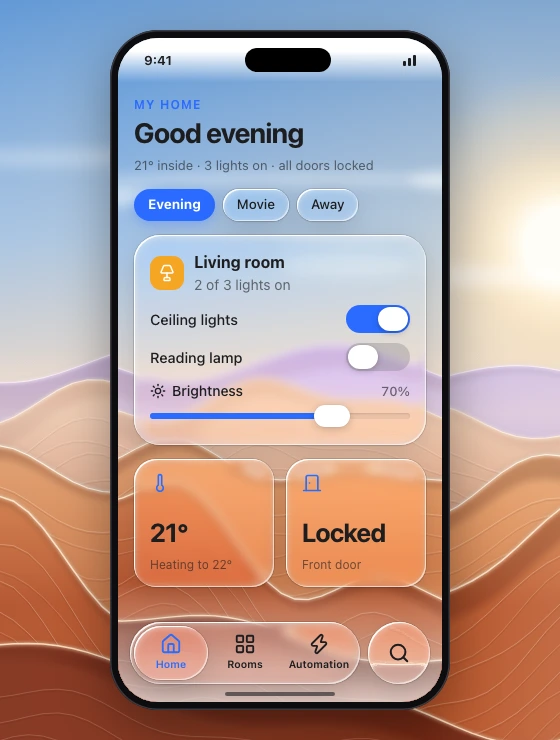
My home
Good evening
21° inside · 3 lights on · all doors locked
Living room
2 of 3 lights on
Proof
Same request, same model. One difference.
Ask an assistant for "liquid glass" and you get glassmorphism: a blurred, white-bordered card. The real material bends the backdrop at its edge and follows a handful of rules. Here is one request run in fresh sessions, without and with Meniscus on the free plan — unedited.
The request, word for wordBuild a smart-home dashboard as a web page with a floating liquid glass tab bar, room cards and a thermostat slider. Put everything in one self-contained index.html in this folder (inline CSS and JS, no build step, no external requests), designed for a 390×844 phone viewport.
Without Meniscus
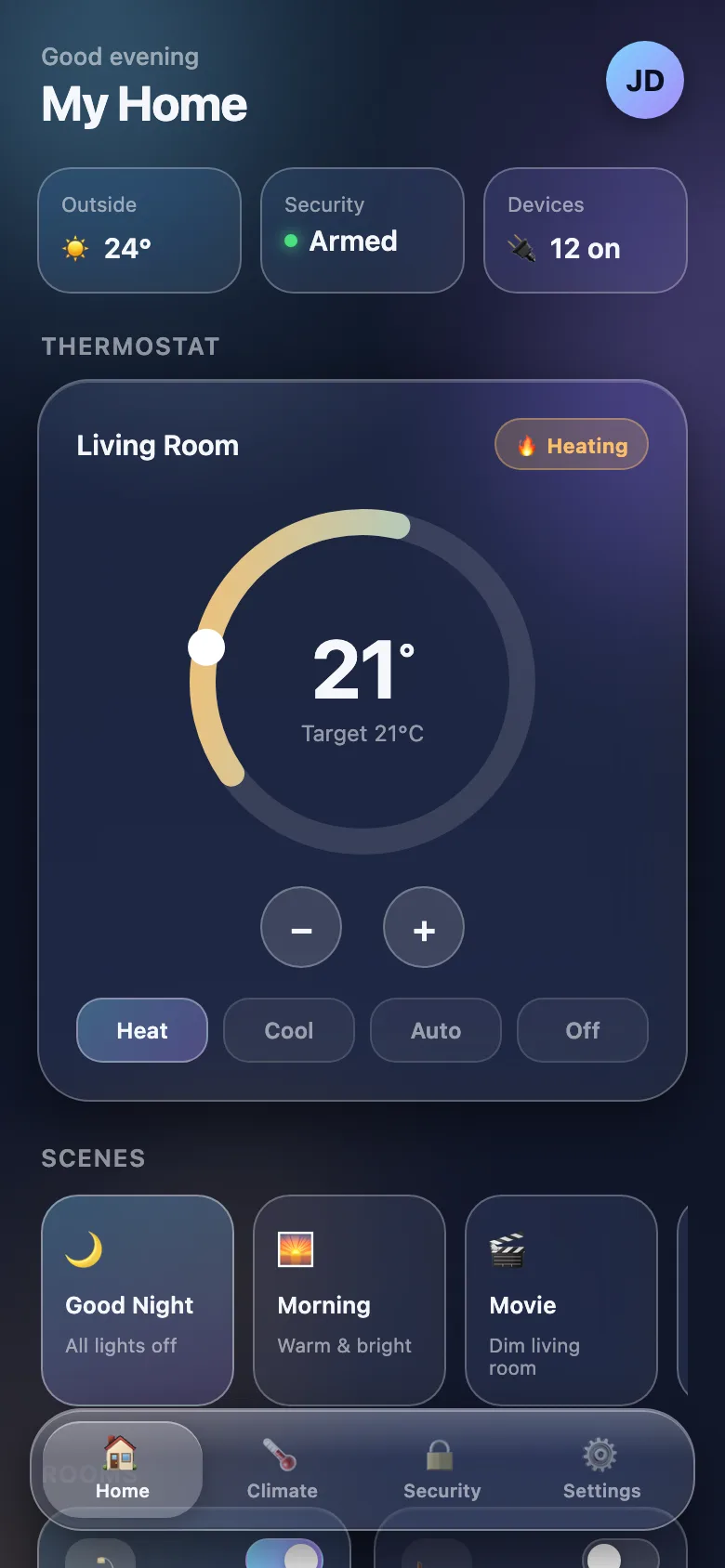
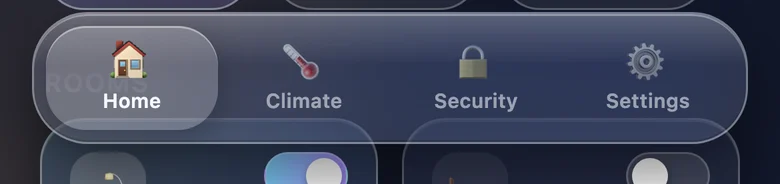
- Blur plus a uniform white border on every surface: glassmorphism. Nothing behind the glass bends.
- Emoji for icons, each in its own style.
- The Rooms heading behind the tab bar still reads through it.
With Meniscus · free plan
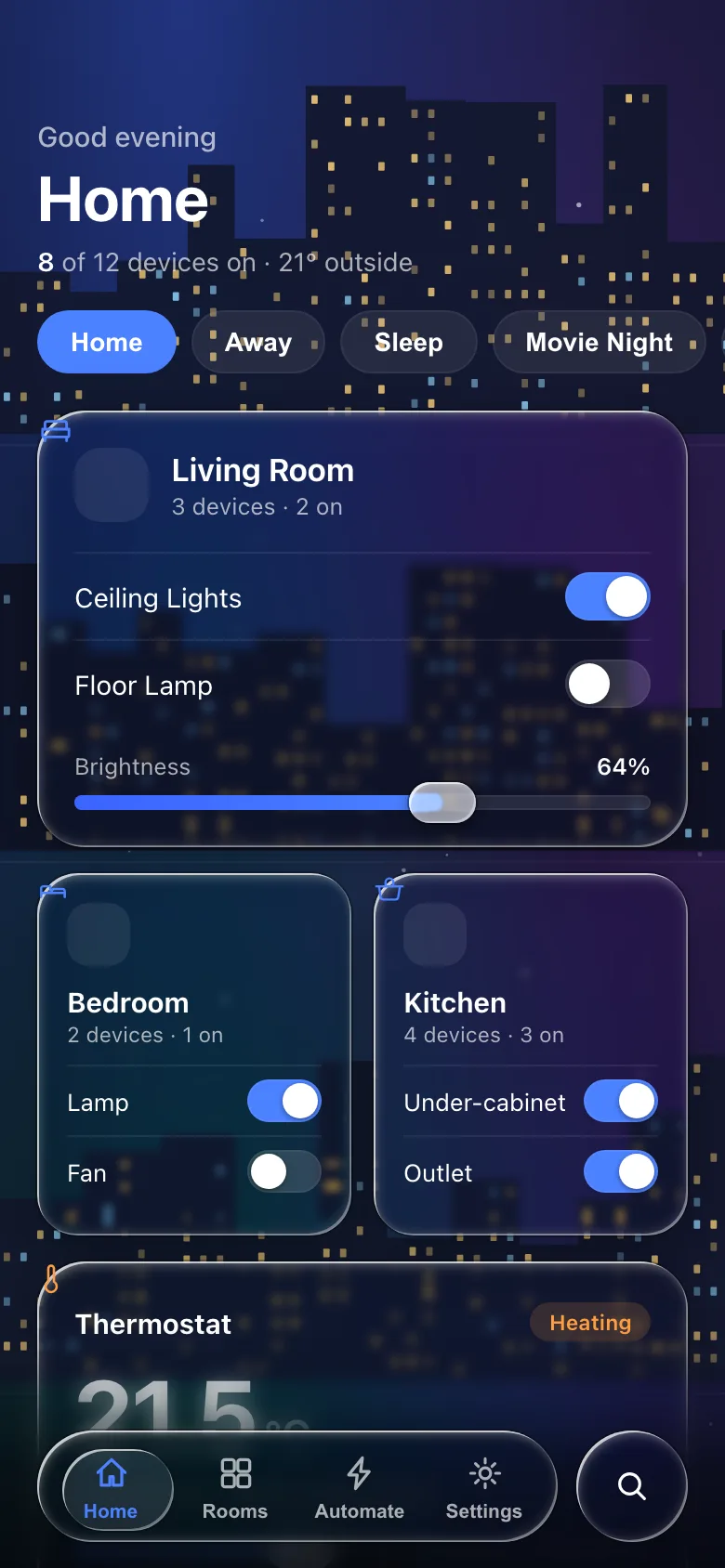
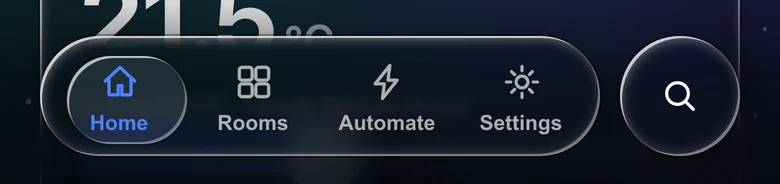
- A night skyline behind the page gives the glass edges to bend; at every rim the backdrop is drawn inward (in Chrome).
- The tab bar diffuses what scrolls under it, so its labels stay legible; the selected tab is a lens, and search sits in its own round lens.
- One line-icon family throughout.
- Not perfect: the room icons slipped out of their tiles to the card corners.
How we ran it
- The same request, word for word, in a fresh Claude Code session each time: headless, an empty folder, Claude Sonnet 5.
- The only difference: the Meniscus server on the free plan, and “Use the meniscus tools.” at the end of the request.
- One run without Meniscus. With it, the first run exposed a gap in our web recipe — the agent mounted the refraction filter where Chrome ignores it — so we fixed the recipe (see the changelog) and ran once more. This is that second run.
- Without Meniscus the agent took a minute and a half; with it, eleven minutes, most of it reading the brief, the specs and the web recipe.
- Nothing edited. Screenshots taken on load in Chrome at 390 × 844.
- Run on 27 September 2026.
What your agent gets
One call for a whole screen.
Seven read-only tools. The one agents use most, create_design_brief, turns "iOS wallet with a glass tab bar" into direction, tokens, the specs it needs, build notes for your stack, an acceptance checklist and two reference images.
A design language with numbers
Bezel, displacement, blur, fills, rims and edge lines for every material, tuned to the current generation — plus the anti-patterns to reject.
34 components, 10 effects
Tab bars to sheets, refraction to liquid metal: anatomy, states, rules and the numbers for each.
Recipes for five media
Figma, web, SwiftUI, Flutter and React Native — each with what that platform can and cannot do.
Verified references
109 renders filed by what they show, cropped to the glass, each with notes on what to look for.
Two minutes to set up
Connect, sign in, ask.
- Add the server to your assistant — one command or one line of config.
- Sign in in the browser window it opens. Free to start.
- Ask for a screen in your stack. Your agent pulls the brief, specs and images it needs.
claude mcp add --transport http meniscus https://meniscus.site/mcpBuild a SwiftUI smart-home dashboard with a floating glass tab bar,
room cards and a thermostat slider. Use the meniscus tools.Templates
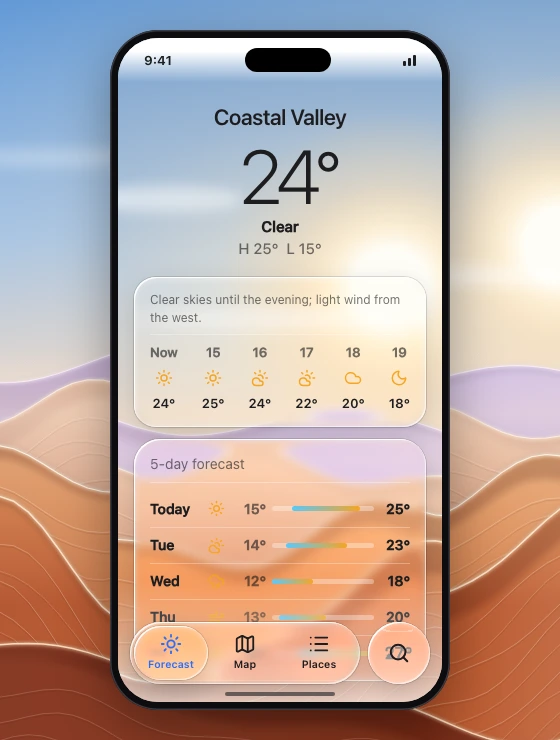
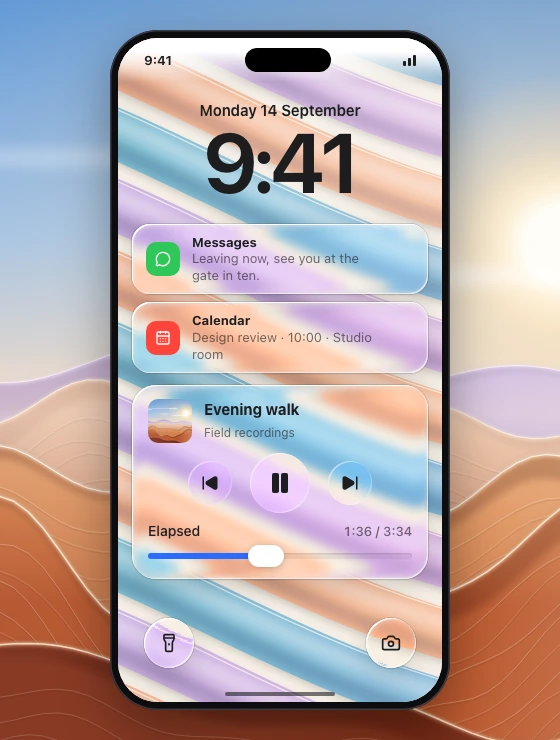
Screens your agent can start from.
Platforms
The same material everywhere you ship.
Figma & design tools
Glass effect settings, a manual layer stack for tools without one, image-generation prompts.
Web
SVG displacement refraction, a WebGL shader, a React component and a frost fallback.
SwiftUI
glassEffect, containers and morphing, system bars, iOS 27 additions.
Flutter
An Impeller refraction shader with its widget, verified on Android and iOS.
React Native
A runnable Expo starter with native iOS glass and honest fallbacks.
Looked after
Kept current with Apple, easy to reach.
Questions, bugs, refunds
One address for all of it: support@meniscus.site. Refunds within 14 days of a first payment need no reason.
Found something wrong in a spec or a recipe? Say so. Fixes land on the changelog, like the Chrome filter gap a test build turned up on 27 September.
Recently shipped
- Web recipe: a silent Chrome failure, closed
- Ten screen templates and a hosted server
- Updated for iOS 2712 days after Apple shipped it
- Refraction without folds; every image our own
Pricing
Start free. Upgrade when you ship native.
Free
$0 forever
The design language and every spec, for web and design tools.
- Design language, 34 component and 10 effect specs
- Web and Figma / design-tool recipes
- 1 reference image per spec, 2 per brief
- 30 tool calls a day
Pro
Most popular$79 per year
Everything, on every platform you ship.
- SwiftUI (iOS 26–27), Flutter and React Native recipes
- Every reference image at full frame, up to 4 per spec
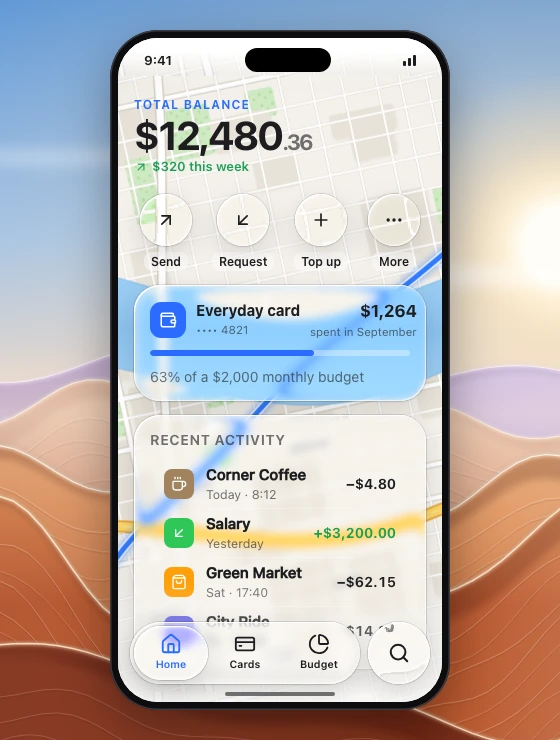
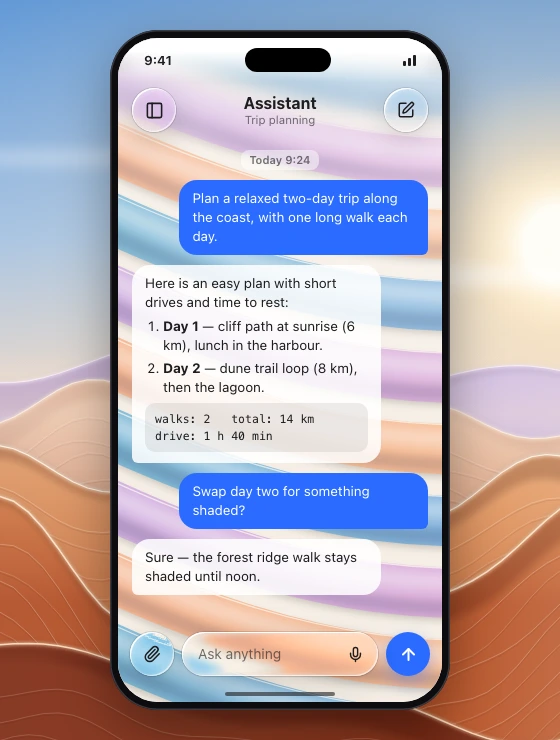
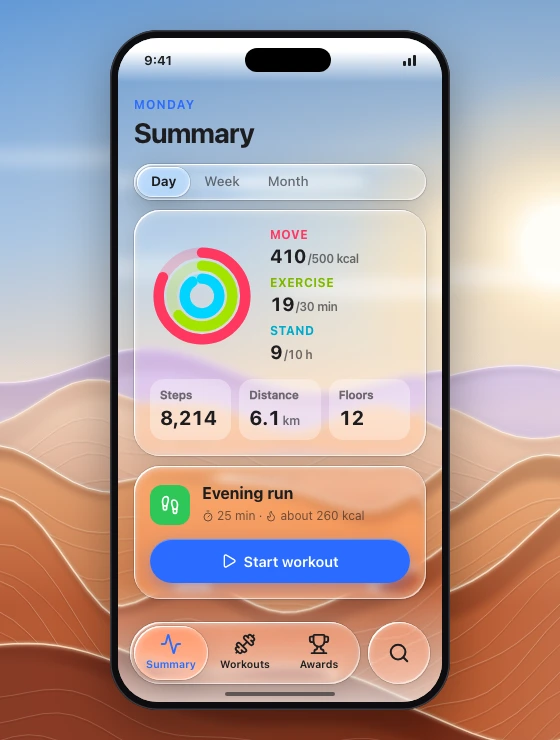
- Screen templates: smart home, wallet, chat, dashboard…
- React Native starter (Expo SDK 55) download
- Fair use: 2,000 calls a day
- Updates as Apple changes the material
Team
$199 per year
Pro for five people, managed by one owner.
- Everything in Pro
- 5 seats, given by e-mail from your account
- One invoice
Lifetime
$399 once
Pro for one account, no renewals.
- Everything in Pro
- All future updates
- Limited launch offer
- 14-day money-back guarantee
Not right for you? Ask within 14 days of your first payment and get all of it back.
- Cancel any time
From Invoices and billing on your account page; you keep access until the period you paid for ends.
- Checkout by Lemon Squeezy
The merchant of record handles payment, tax and invoices. We never see your card.
Prices in USD. Taxes are added at checkout where they apply. Details in the refund policy and terms.
Questions
Frequently asked
What is an MCP server?
The Model Context Protocol lets AI assistants such as Claude Code, Cursor and VS Code call tools. Meniscus is a set of tools that hands your assistant the numbers, specs, recipes and reference images for liquid glass, so it designs and builds the real thing instead of a blurred card.
Is this Apple's Liquid Glass?
No. Meniscus is an independent design system that teaches the visual style on every platform, including web, Flutter and React Native, where Apple ships nothing. It follows Apple's current release (iOS 27) where Apple's platforms are the target.
Which assistants does it work with?
Any MCP client that supports remote servers with OAuth sign-in: Claude Code, Claude desktop and web, Cursor, VS Code, Windsurf and others.
What does the free plan include?
The whole design language and every component and effect spec, the web and design-tool recipes, one image per spec and 30 tool calls a day. No card needed.
Can I use what it produces in client work?
Yes. Designs and code your assistant makes with Meniscus are yours to ship, commercial or not. You may not resell the specs, images or starter themselves.
What happens when Apple changes the material again?
The hosted server updates for everyone the day we ship the change; your assistant gets the new numbers on its next call. Apple shipped iOS 27 on 14 September 2026; Meniscus moved to its numbers 12 days later. Every change is on the changelog.
What if Meniscus isn't right for me?
Stay on the free plan as long as you like; it needs no card. If you buy a plan and it isn't right, ask within 14 days of your first payment and you get all of it back.
How do I get help?
Write to support@meniscus.site: questions, bug reports and refund requests all go there.